Platform Commons • Live 2025
Designing an activation experience for first-time administrators
The Challenge
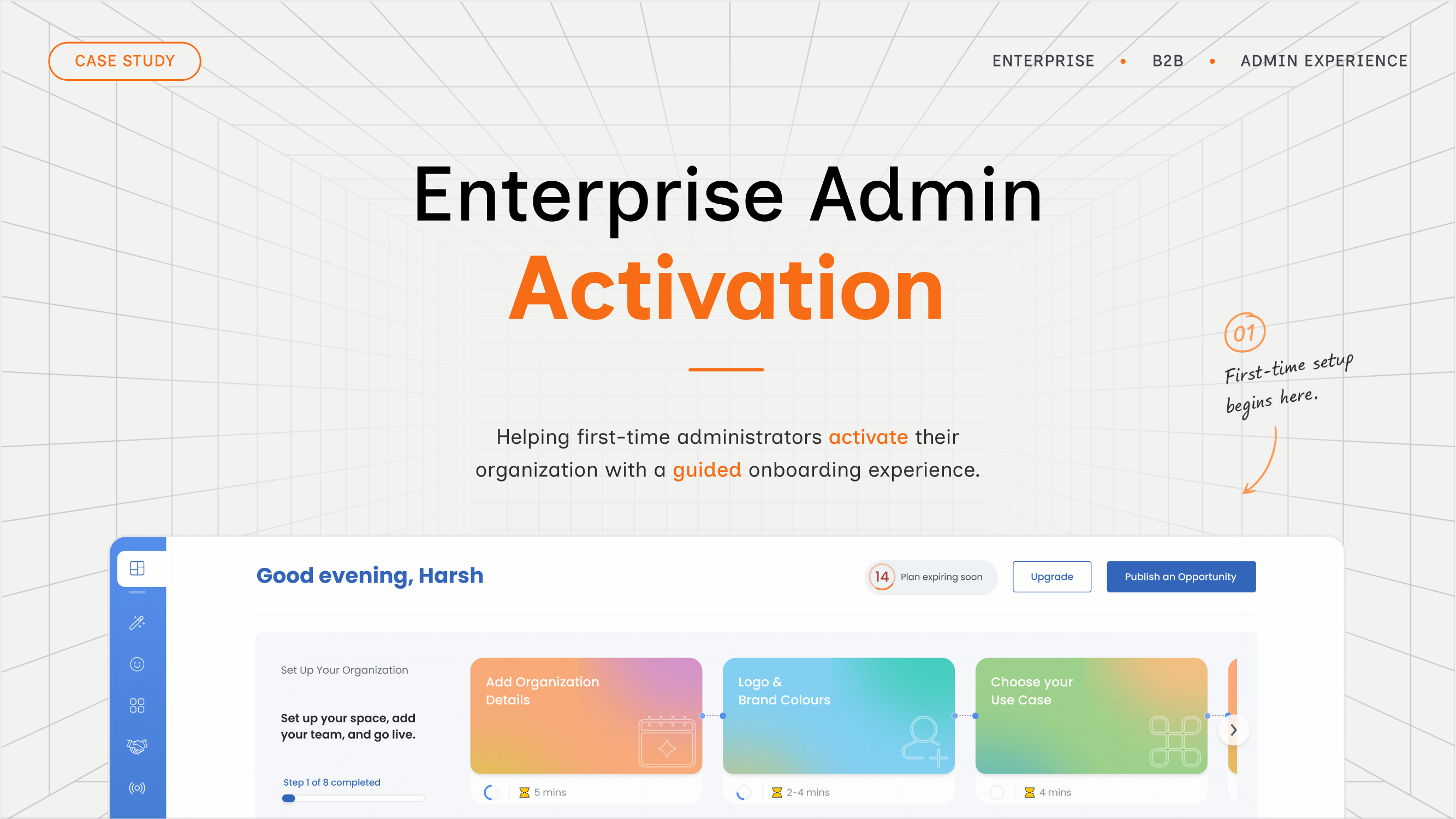
Helping new administrators navigate a complex platform
As the platform expanded, administrators were introduced to dozens of settings, modules, and workflows immediately after signing in. Without a clear starting point, many struggled to identify which actions were essential before publishing their first opportunity, leading to slower activation and inconsistent organization setup.
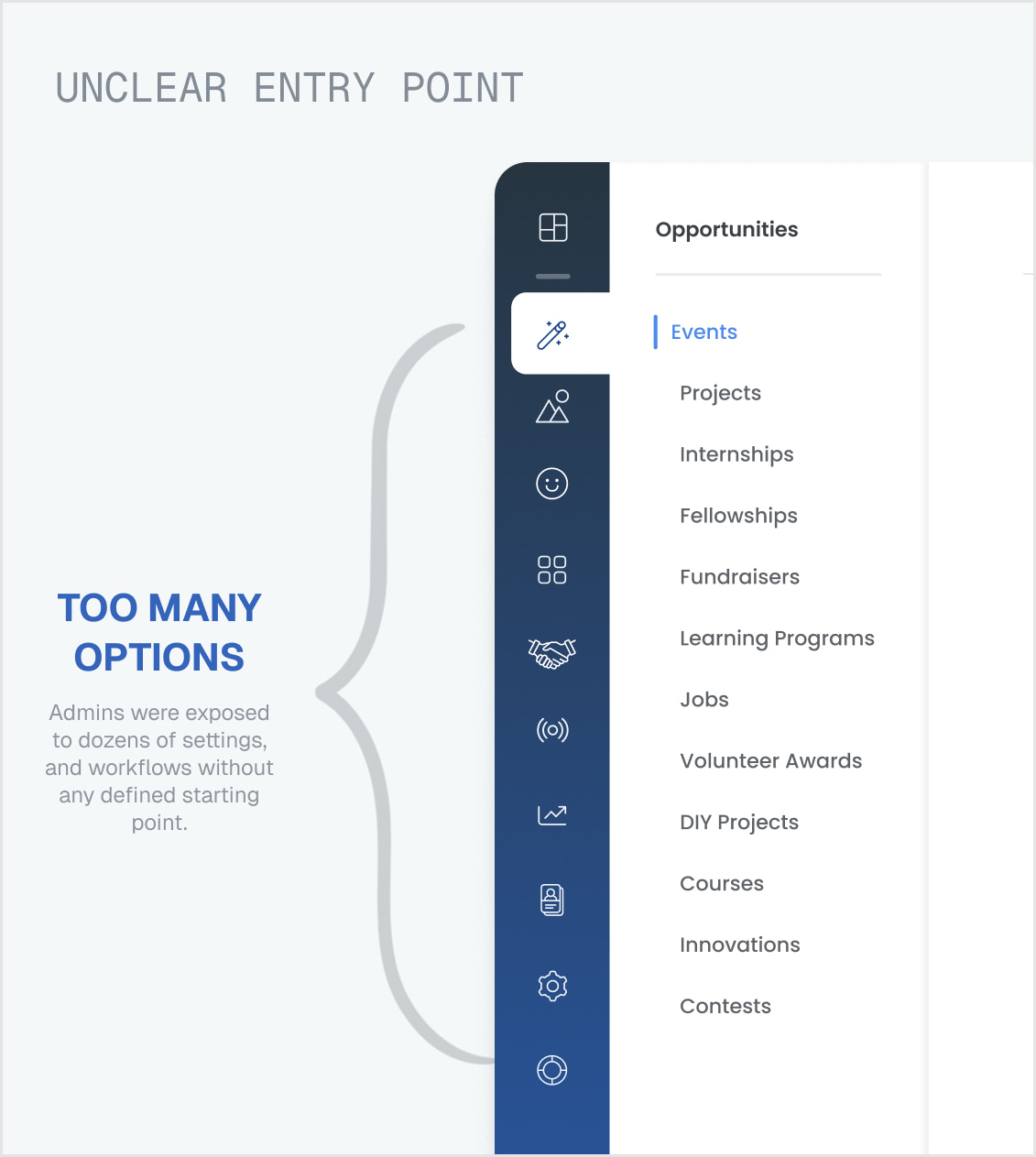
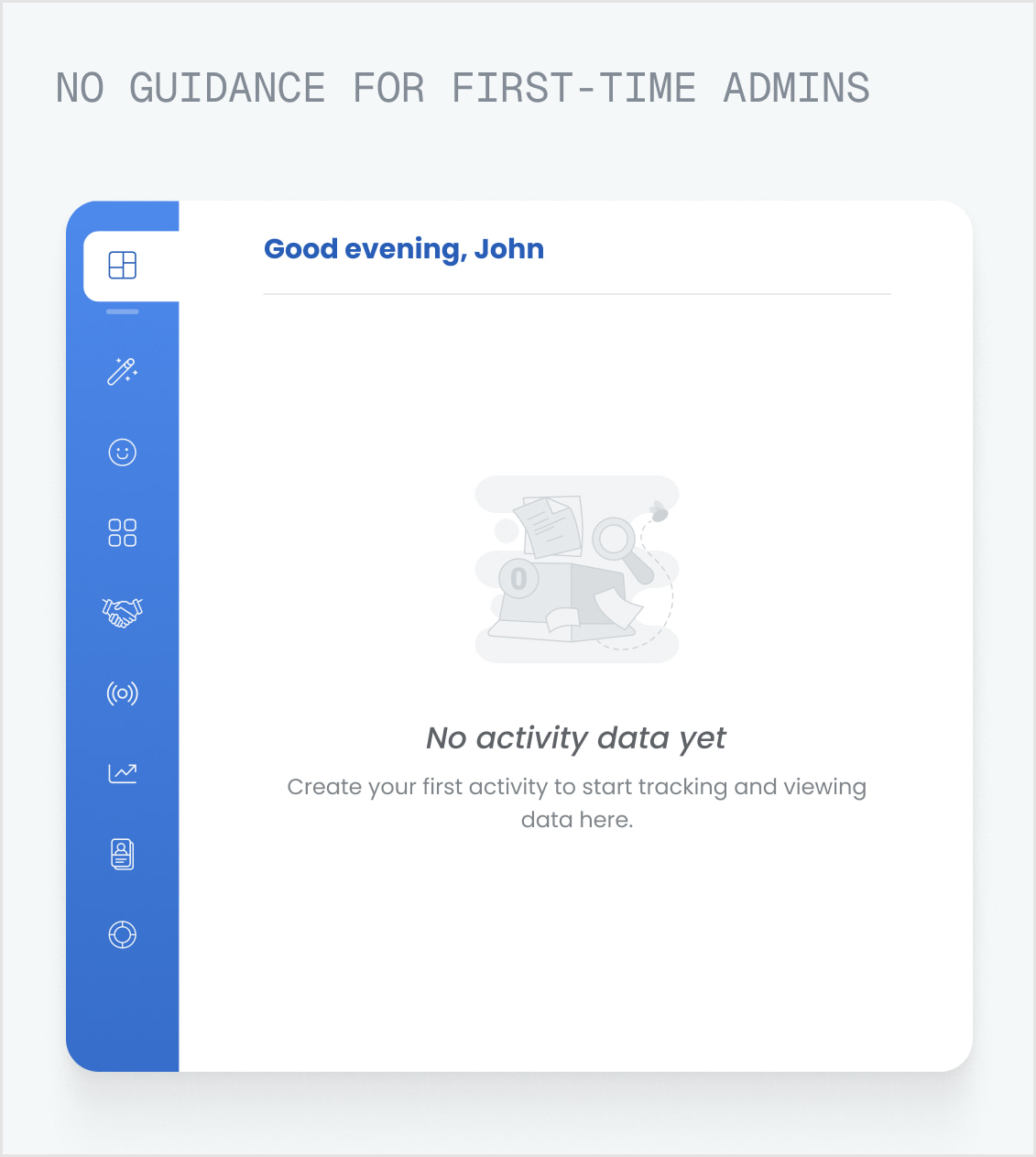
The challenge wasn't a lack of features. It was helping administrators understand what to do first.
The Transformation
Designing a dashboard that evolves with the organization
The dashboard became more than a landing page. It guided administrators through their first critical actions, adapted as the organization became active, and gradually shifted from activation to day-to-day management.
The dashboard wasn't designed as a static interface. It evolved alongside the organization's journey.
Research
Understanding where activation breaks down
Rather than redesigning the dashboard immediately, I first mapped how administrators entered the platform, where they hesitated, and which decisions slowed them down. This helped separate symptoms from the underlying activation problems.
Understand the existing experience
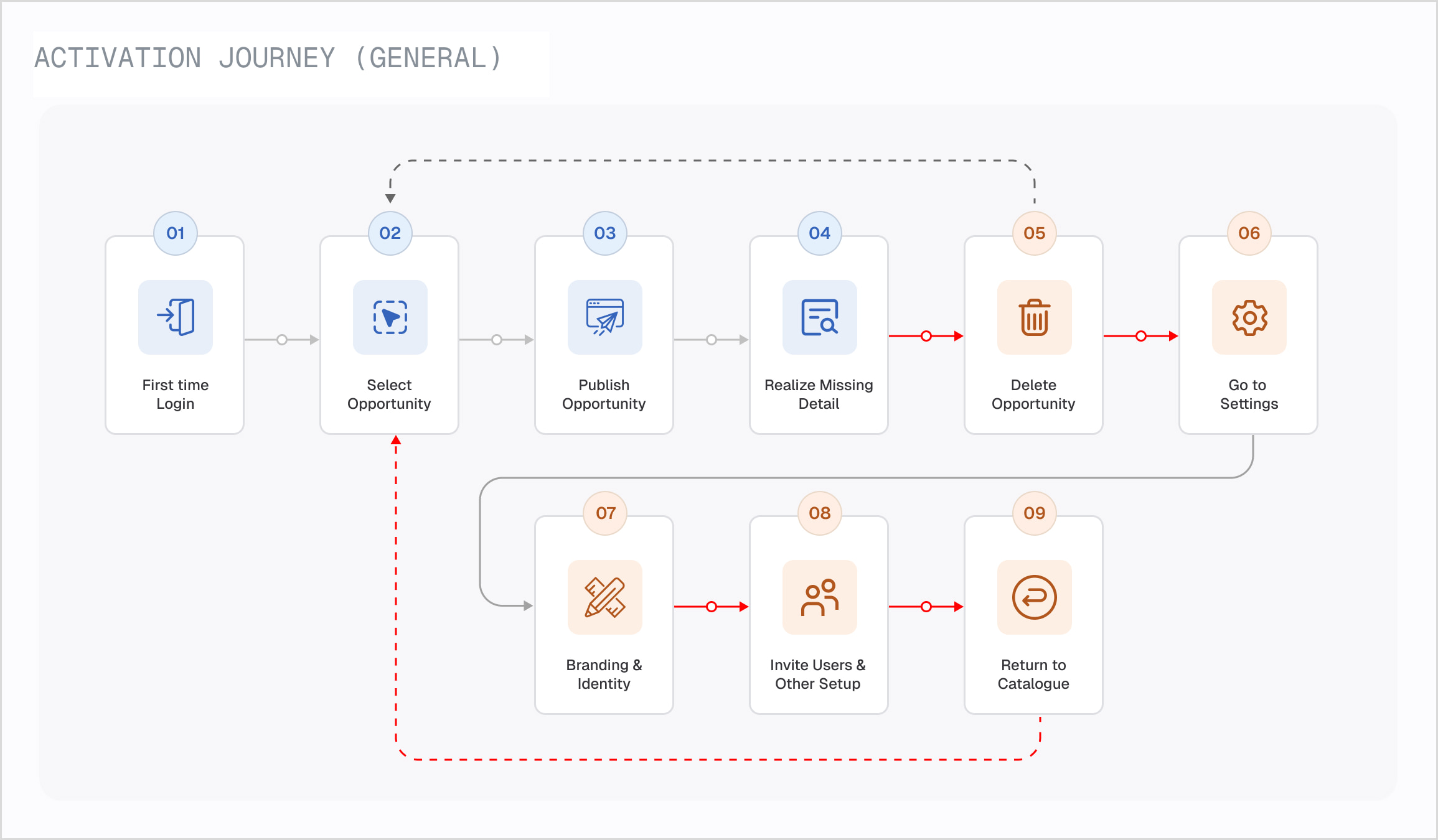
Identify where administrators struggle
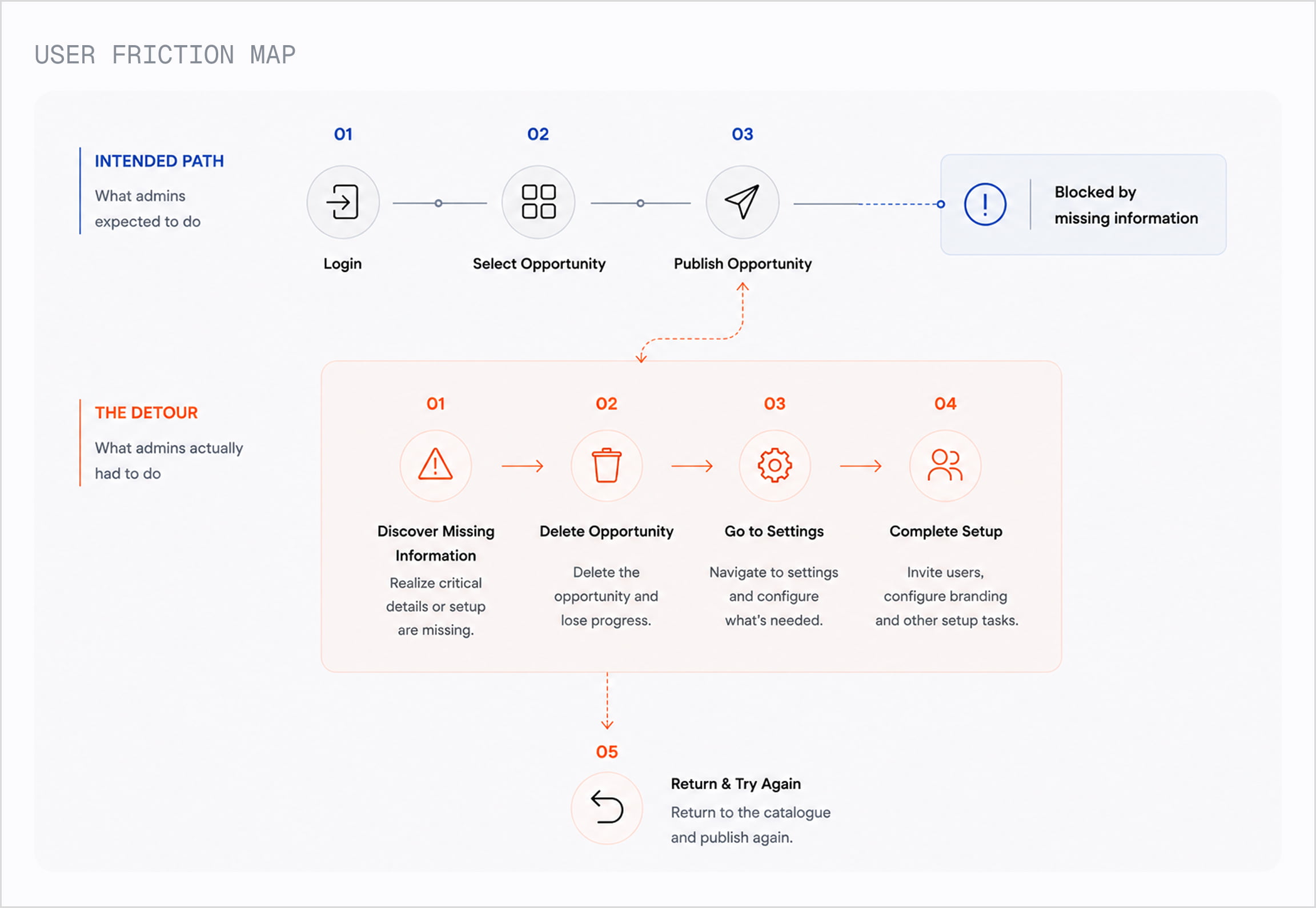
Figure out what actually deserves attention
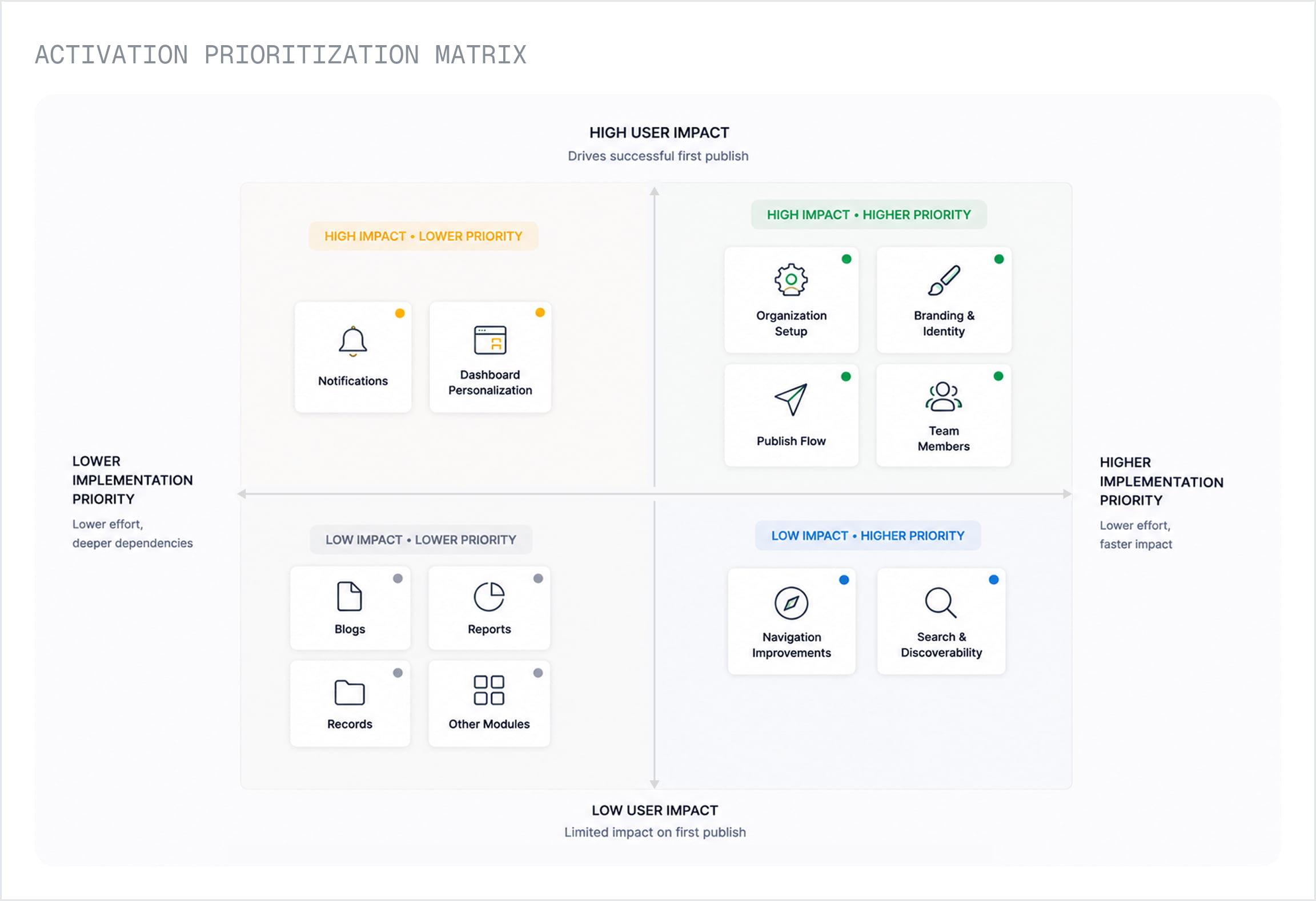
Strategy
Turning research into a clear activation strategy
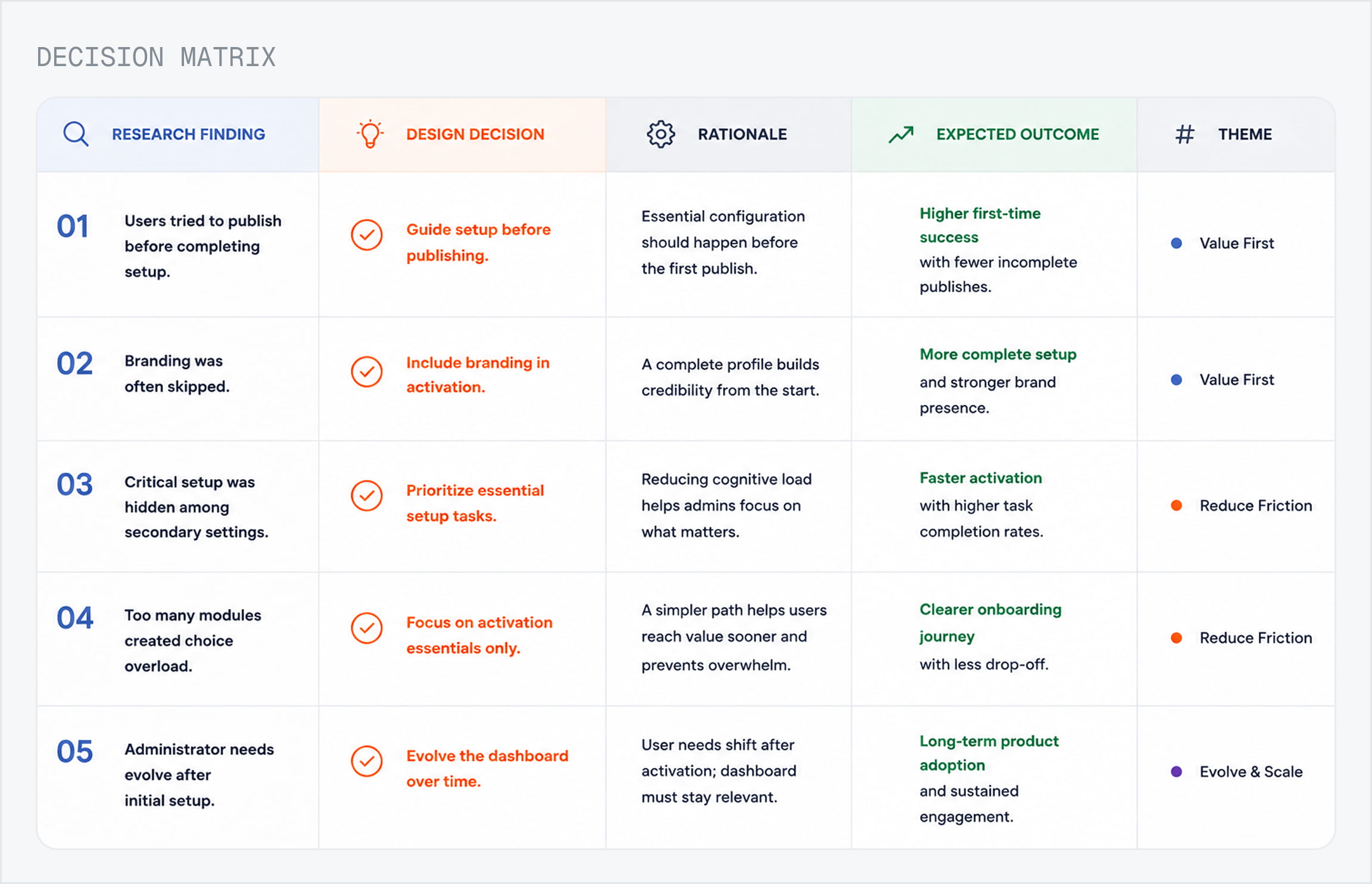
The research made one thing clear: new administrators didn't need more guidance. They needed a clear path to their first successful outcome. Every design decision followed this principle.
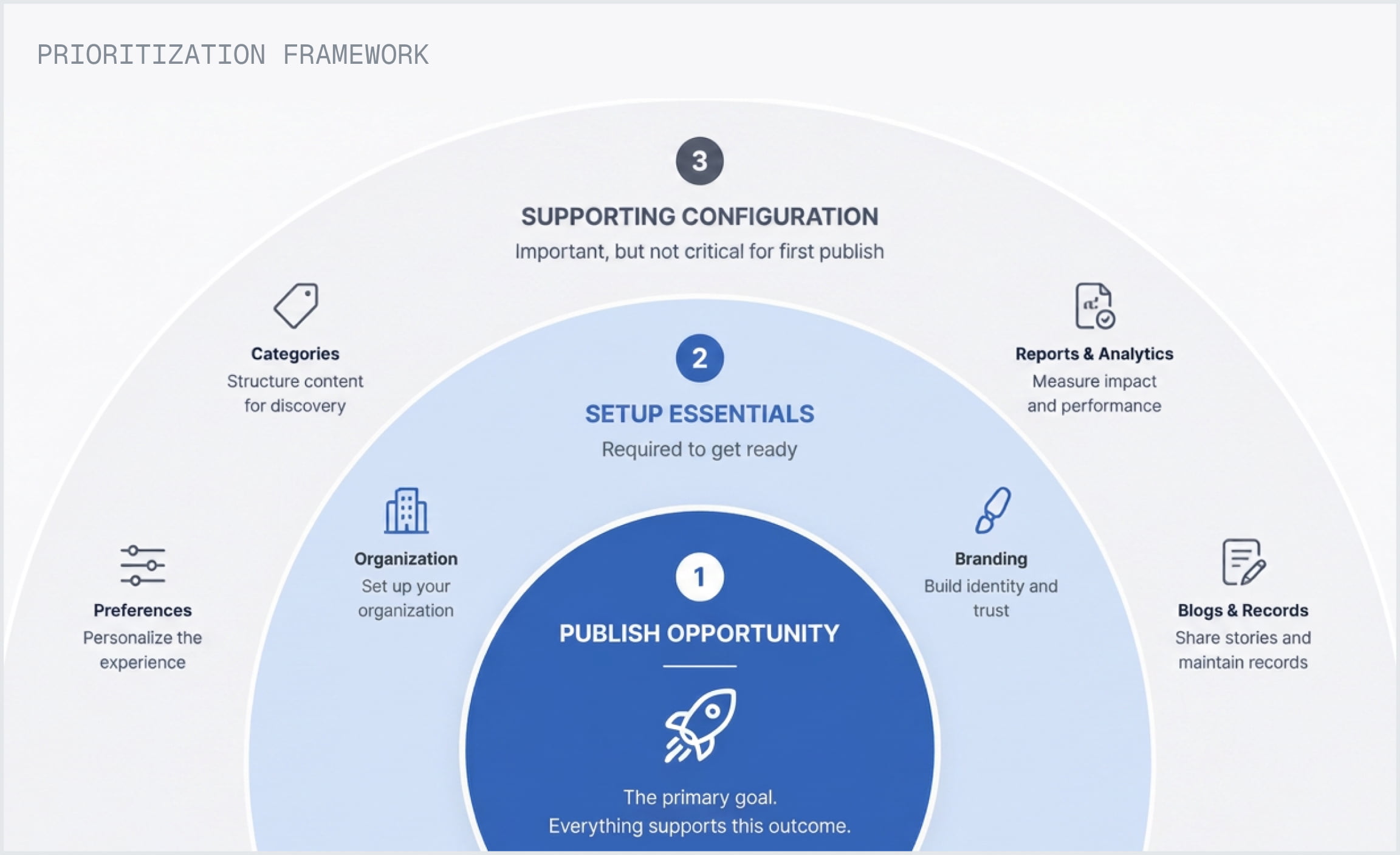
Eight actions formed the shortest path to a trustworthy first publish.
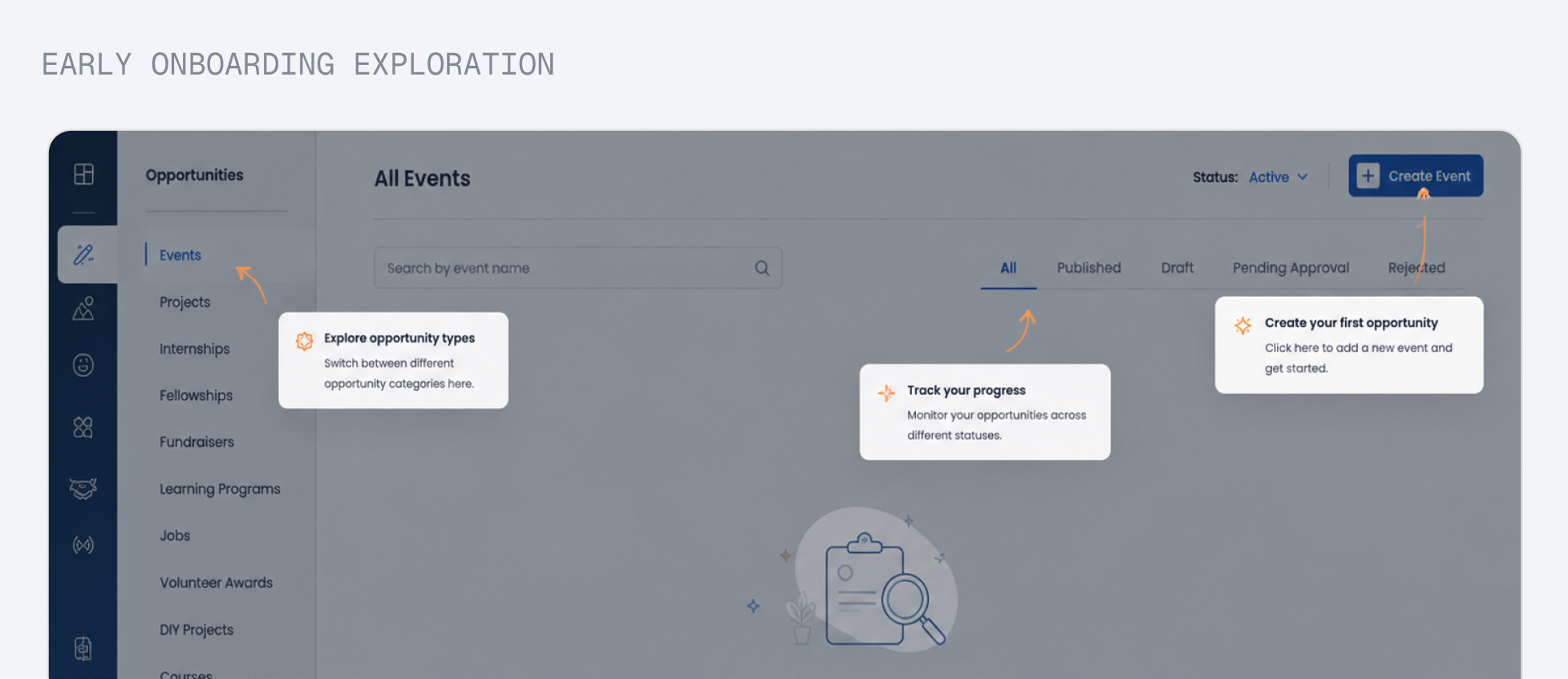
Early explorations relied on contextual tips layered over the existing dashboard. While helpful, they still depended on users discovering instructions themselves.
Why We Moved Beyond Tips
Actions outperform instructions
The interface showed what to do next, not what to learn.
Guidance should disappear
Support faded naturally as users completed setup.
The product became the guide
The experience replaced documentation with guided actions.
Key Decisions
1. Prioritize what matters first
The dashboard surfaced only the actions required for a successful first publish, while secondary tasks remained available without competing for attention.
2. Let the product evolve
The interface gradually shifted from guided activation to day-to-day operations, keeping the dashboard relevant beyond the first login.
Design Decisions
Translating strategy into the product experience
Every section of the dashboard was designed to solve a specific activation challenge. Rather than adding features, the focus was on helping administrators take the right action at the right time.
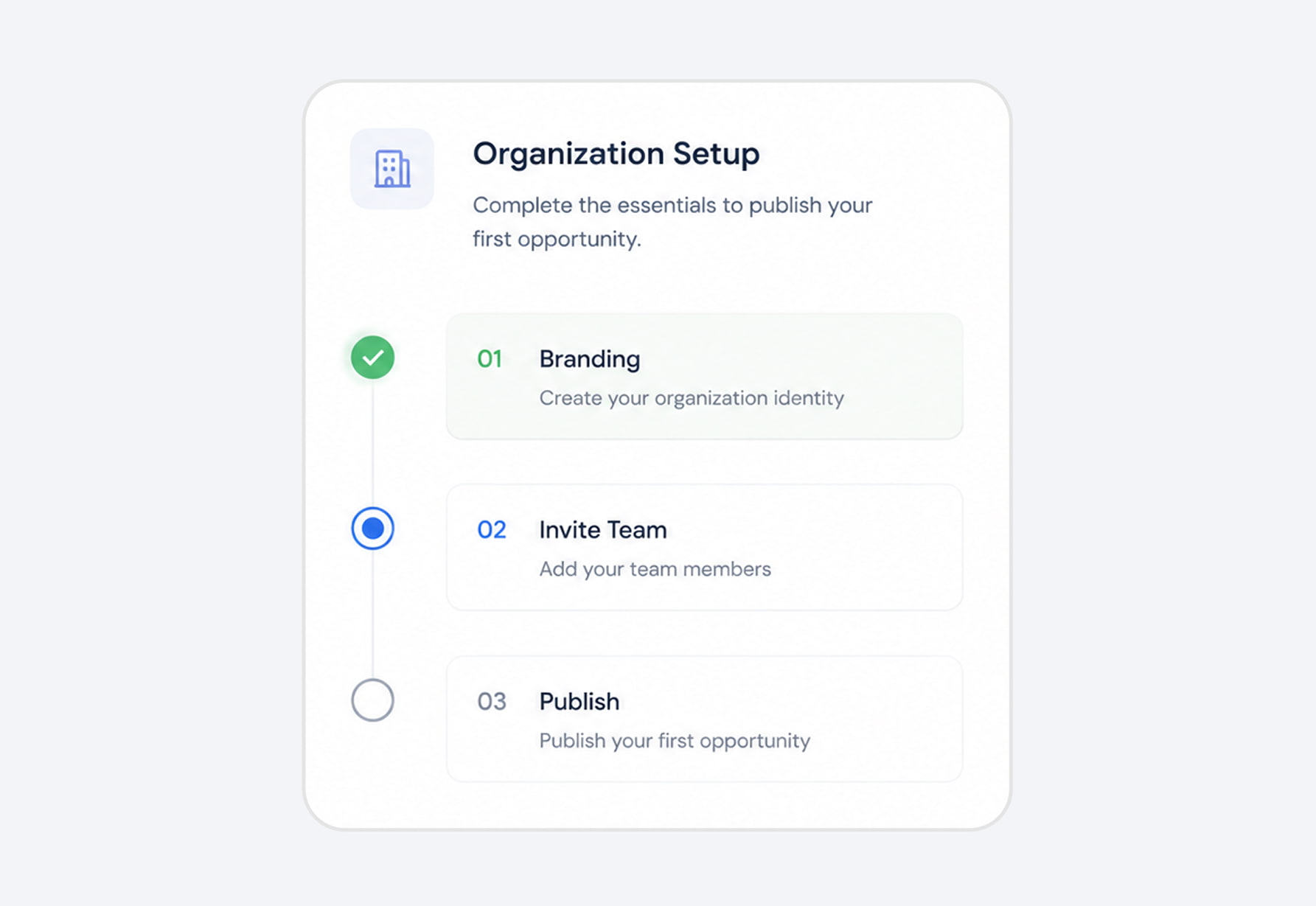
1. Guided Activation
A guided setup journey helped administrators complete the most important actions before exploring the rest of the platform.
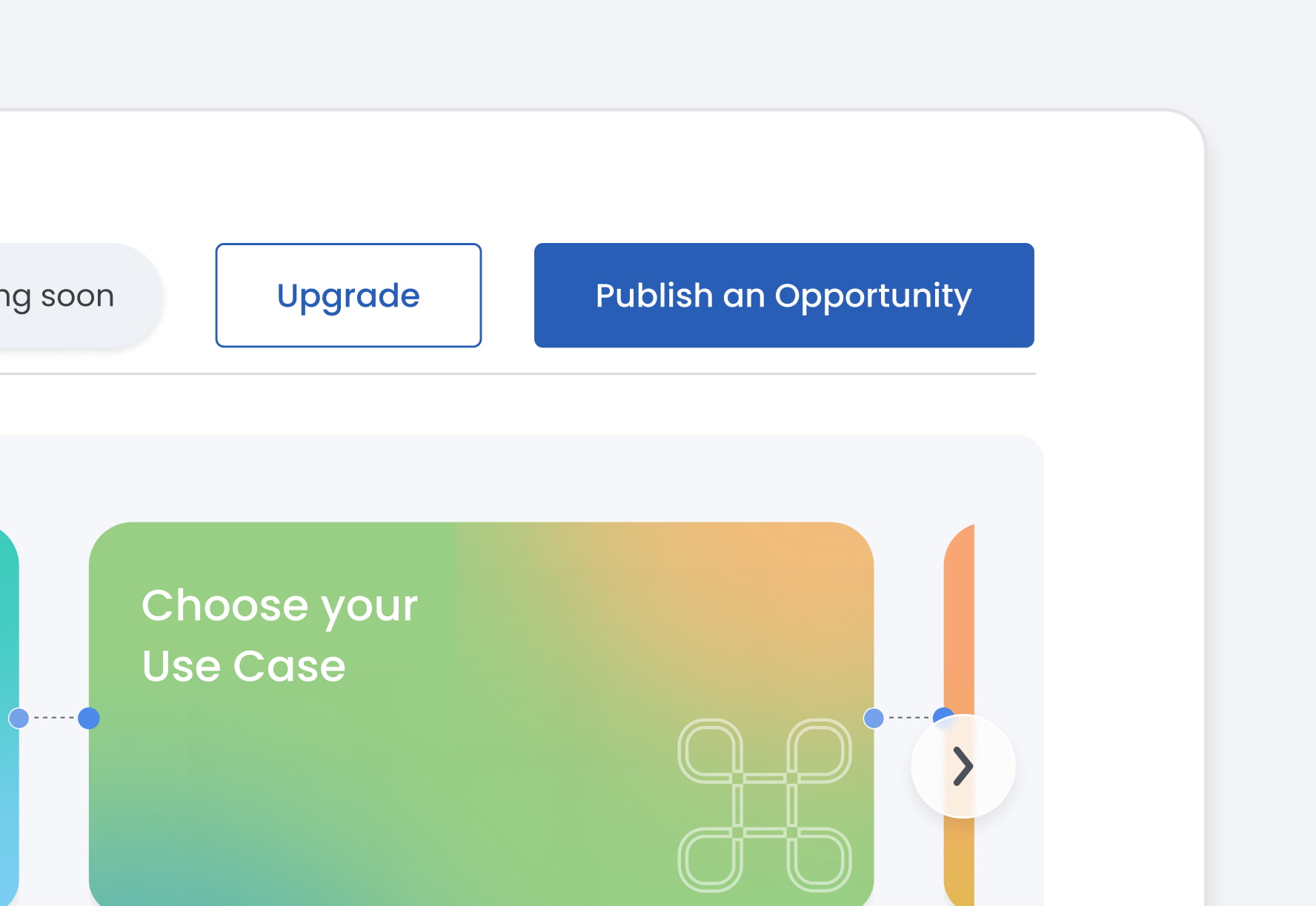
2. Publish Before Perfection
Publishing stayed accessible from the beginning, allowing administrators to validate the platform before completing every setup task.
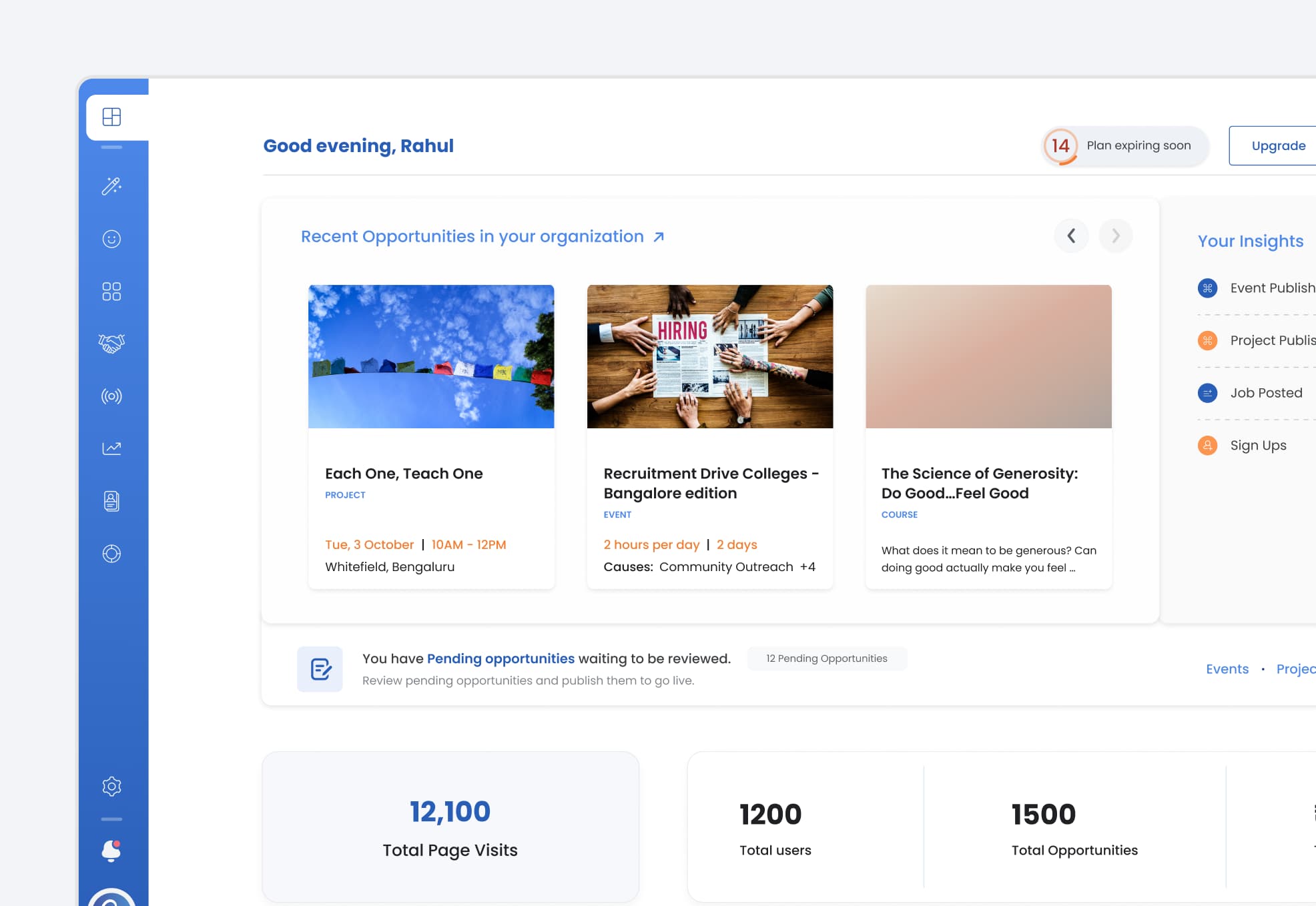
3. Evolving Workspace
The dashboard adapted as organizations became more active, replacing onboarding guidance with operational insights.
4. Progressive Guidance
Critical actions received immediate attention, while secondary configuration was introduced progressively over time.
Inside the Experience
An interface that evolves with every milestone
Rather than exposing everything at once, the dashboard adapted as administrators progressed. Each stage introduced the next most relevant information, helping organizations move from setup to everyday operations with clarity.
Complete the essentials
The experience began with a focused setup checklist. As each essential task was completed, progress became visible until the entire activation panel gracefully stepped aside, making room for the next stage.
Start managing your organization
Once the foundation was ready, the dashboard shifted from guidance to action. Empty states transformed into a live workspace as administrators began publishing opportunities and managing real activity.
Measure what matters
Operational metrics surfaced only after meaningful activity existed, helping administrators monitor growth instead of presenting empty analytics from day one.
Keep improving
Recommendations evolved alongside the organization. Completing one task immediately introduced the next most valuable improvement, encouraging continuous progress without overwhelming the user.
A dashboard for every role
The experience adapted to each permission level. Administrators focused on configuration and management, while other team members saw operational updates and activity relevant to their responsibilities.
The Outcome
Building a foundation for long-term product adoption
The dashboard introduced a structured activation journey that supported both new organizations and long-term platform growth. Beyond onboarding, it established a scalable foundation for future modules, roles, and workflows.
Created a faster activation journey
Administrators had a clear path from first login to first publish.
Improved onboarding quality
Critical organization settings became visible before publishing, improving the quality of public-facing data.
Built a scalable dashboard foundation
The same dashboard adapted as organizations, features, and user roles evolved.
Established reusable product patterns
The activation model created patterns that could be extended across future enterprise modules.
Project Feedback
"The dashboard gave new administrators a much clearer starting point and made the platform easier to adopt from day one."
— CEO & Product Team
Reflection
What I learned
Guide actions, not interfaces
Designing the right sequence of actions matters more than exposing every feature at once.
Good products reduce decisions
Reducing unnecessary decisions creates a faster and more confident first experience.